A fully typed client for your ComfyUI server: tweak workflows, stream progress and preview frames, spread jobs across GPUs. And one command hands the same server to Claude Code, Codex or Cursor.
For your app
npm install comfyui-node
For your agent
npx -y comfyui-node
TypeScript SDK + MCP server · v1.12.0 · tracks ComfyUI v0.44 · Node 22+ and Bun · MIT
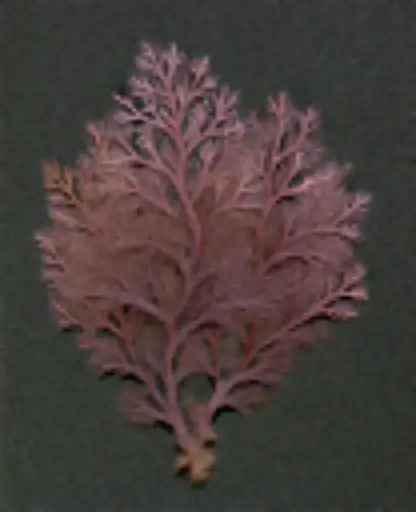
Rhodophyta, seed 20251
const job = await api.run(
  Workflow.from(krea2Turbo)
    .set('56.inputs.seed', 20251)
    .set('56.inputs.sampler_name', 'euler'));
job.on('preview', show);  // every step, live
Acc. 0001krea2_turbo · 8 steps · 832 × 10242.8 s on RTX PRO 6000 Blackwell
noise
step 2
step 4
step 6
step 8
Plate I · Rhodophyta, three seeds, two samplers
Two ways in.
The same package is a library you import and a server your agent runs. Both talk only to the ComfyUI URL you give them.
Tweak a saved workflow, run it, read the outputs.
import { ComfyApi, Workflow } from'comfyui-node';
import base from'./txt2img.json';
const api = await newComfyApi('http://127.0.0.1:8188').ready();
const wf = Workflow.from(base)
.set('6.inputs.text', 'A dramatic cinematic landscape')
.set('3.inputs.seed', -1) // randomized for you
.output('images:9');
const job = await api.run(wf, { autoDestroy: true });
job.on('progress_pct', (pct) => console.log(`${pct}%`));
const result = await job.done();
for (const img of result.images.images) {
console.log(api.ext.file.getPathImage(img));
}
Workflow.from
Dot-path .set(), named output aliases, .attachImage(), and deterministic structure hashing
api.run(wf)
Streams progress_pct, preview, and preview_meta frames, with automatic /history recovery
PromptBuilder
Typed input/output keys when reusable graphs outgrow raw node numbers
WorkflowPool
Multi-GPU job queue with health checks, node profiling, timeouts, and smart failover
Comfy-Org’s official local MCP server wraps comfy-cli in Python to manage and run a local ComfyUI installation. comfyui-node takes a direct, in-process TypeScript path built around a compact 9-tool surface, inline visual contact sheets, and recorded seed lineage.
CLI subprocess wrapper · each tool call spawns comfy --where local --json … and parses the CLI output
Tool surface
9 focused tools · compact, deterministic tool-schema footprint; node and model catalogs queried on demand
~40 CLI-passthrough tools · generation, discovery, workflow slots, plus host process & package management
Visual review & lineage
Inline sharp vision pipeline · labeled contact sheets, region crops, side-by-side parent/child diffs, and comfy_revise with parentRunId lineage
comfy-cli media tools · video contact sheets, audio waveforms, and output file harvesting
Host lifecycle vs. app reuse
Scoped to workflows & runs · the exact graphs your agent builds run unchanged in TypeScript on ComfyApi and WorkflowPool
Full host administration · can start/stop/restart ComfyUI, pull models, and run install_node via comfy-cli
License
MIT
AGPL-3.0-or-later / commercial dual license
Plate II · two front doors, one library
Watch it develop.
ComfyUI streams a preview frame at every sampling step. comfyui-node decodes each one straight off the WebSocket, with its node and prompt metadata, so you can show the image forming instead of a spinner.
Acc. 0003-B · seed 77115euler · beta578 steps, 8 preview frames · 2.9 s end to end
Plate III · one render, five states
Seeds, kept and revised.
Ask an agent for four candidates and it gets four real renders and a contact sheet to judge them. Ask for a revision and it branches a child run from the parent, same seed, with the lineage recorded.
Coleoptera · Buprestidae — four sequential seeds (5100–5103) rendered in one comfy_generate call. The model holds the species; the seed varies the specimen. Hover or tap any plate to develop its full colour.
Acc. 0004 · MCP comfy_generate4 candidates · 9.4 s for the set
{ runId: 'run_…9187fb80',
  seedPolicy: 'keep',
  prompt: '…cold blue moonlight, deep shadows',
  note: 'Same shell, same seed: swap warm'
      + ' tungsten for cold moonlight' }
Acc. 0005 · MCP comfy_reviseparentRunId recorded · seed kept: 2718
Plate IV · one beetle in four seeds, one shell revised · hover or tap a specimen to develop it
One job, many GPUs.
WorkflowPool spreads jobs across ComfyUI instances with health checks, per-node profiling, timeouts and failover that blocks a workflow on a host, not the host. MultiWorkflowPool goes further: register a different variant of the same render per host, and it runs the one whose host is free.
One logical render (Adiantum, seed 4210), a distinct workflow variant per GPU
Host
Variant
Structure hash
State
blackwell:8188
krea2_turbo · nvfp4
0247…1aba
rendered · 3.1 s
ampere:8188
z_image_turbo · nvfp4
4f65…a8f1
idle → takes job 42
studio:8188
general queue
—
health check ok
SmartFailoverStrategy cools a workflow down on the host that failed it, and keeps routing it elsewhere.
executionStartTimeoutMs and nodeExecutionTimeoutMs catch stuck servers and nodes.
enableProfiling returns per-node timings and the slowest nodes for every job.
completedJobRetention keeps long-running pools at a bounded memory footprint.
const krea2 = Workflow.from(graphKrea2).updateHash(); // 0247…1abaconst zImage = Workflow.from(graphZImage).updateHash(); // 4f65…a8f1
pool.addClient('http://blackwell:8188', { workflowAffinity: [krea2] });
pool.addClient('http://ampere:8188', { workflowAffinity: [zImage] });
await pool.init();
// runs on whichever host is free, with that host's own variantconst id = await pool.submitToVariants([krea2, zImage]);
const out = await pool.waitForJobCompletion(id);
Acc. 0006 · MultiWorkflowPool.submitToVariantsseed 4210 · two architectures, one logical job